
What Is an IPTV URL?
If you’re new to IPTV, you’ve probably come across the term IPTV URL while setting up an IPTV player. Whether you’re using IPTV Smarters, TiviMate, VLC, Kodi, or another application, the IPTV URL is one of the most important elements required to access your subscription.
Unlike traditional television, IPTV delivers channels through an internet connection. Instead of connecting to a satellite or cable network, your IPTV player uses a URL to retrieve channel information, live TV, movies, TV shows, and the electronic program guide (EPG).
Understanding how an IPTV URL works makes installation easier and helps you solve common streaming problems quickly.
What Is an IPTV URL?
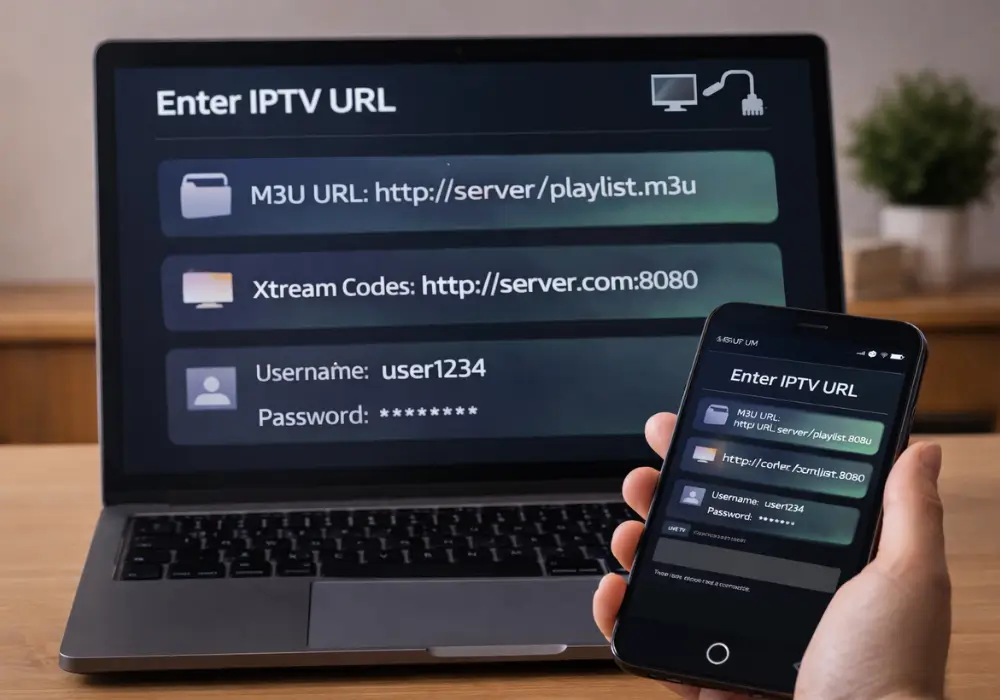
An IPTV URL is a web address that connects your IPTV player to your provider’s streaming server.
Instead of manually adding thousands of channels, your IPTV player downloads all available content from this URL and automatically organizes it into categories.
An IPTV URL may contain:
- Live TV channels
- Movies
- TV Series
- Catch-up TV
- Channel logos
- EPG (TV Guide)
- Video-on-Demand libraries
Once added, your IPTV application refreshes the playlist automatically whenever new channels or content become available.
Different Types of IPTV URLs
Most IPTV services provide one of these connection methods.
1. M3U Playlist URL
The M3U playlist is the most common IPTV format.
It contains a list of streaming links that your IPTV player reads automatically.
Example:
https://server.com/get.php?username=XXXX&password=XXXX&type=m3uAlmost every IPTV application supports this format.
Compatible players include:
- IPTV Smarters
- TiviMate
- VLC Media Player
- Kodi
- IBO Player
- XCIPTV
- Smart IPTV
2. Xtream Codes API
Many premium IPTV providers now use Xtream Codes because it offers faster setup and better playlist management.
Instead of entering a long URL, users simply provide:
- Server URL
- Username
- Password
The IPTV application automatically downloads everything.
Xtream Codes usually provides:
- Faster login
- Better EPG synchronization
- Automatic VOD organization
- Improved playlist updates
3. Portal URL
Some IPTV services use a Portal URL instead of an M3U-playlist.
This format is commonly used on MAG devices and Stalker Portal applications.
The portal communicates directly with the IPTV server after authentication.
How Does an IPTV URL Work?
When you enter an IPTV-URL inside your preferred player, several actions happen in seconds.
First, your device contacts the IPTV server.
The server verifies your subscription.
If your account is active, it sends back:
- Live channel list
- Categories
- Movies
- TV Series
- TV Guide
- Logos
- Streaming links
Your IPTV application then builds a complete interface automatically.
That’s why you don’t need to configure channels manually.
How to Add an IPTV URL
Adding an IPTV-URL only takes a few minutes.
IPTV Smarters
- Open IPTV Smarters.
- Select Load Playlist or File/URL.
- Enter your IPTV URL.
- Save.
- Wait for the playlist to load.
TiviMate
- Open TiviMate.
- Click Add Playlist.
- Choose M3U Playlist.
- Paste your IPTV-URL.
- Import the playlist.
VLC Media Player
- Open VLC.
- Click Media.
- Select Open Network Stream.
- Paste the IPTV URL.
- Click Play.
Kodi
Install PVR IPTV Simple Client, enter the IPTV-URL, enable the addon, and restart Kodi.
Why Is My IPTV URL Not Working?
Sometimes an IPTV-URL fails to load.
The problem isn’t always your IPTV provider.
Common causes include:
Expired Subscription
Most IPTV-URLs stop working immediately after your subscription expires.
Always verify your account status first.
Incorrect URL
A single missing character can prevent your playlist from loading.
Copy and paste the URL exactly as provided.
Internet Connection
Slow or unstable internet can interrupt playlist loading.
Recommended speeds:
- HD Streaming: 20 Mbps
- 4K Streaming: 50 Mbps or higher
Outdated IPTV App
Older versions of IPTV applications sometimes fail to read modern playlist formats.
Keep your app updated.
ISP Restrictions
Some internet providers slow down IPTV traffic.
If your streams constantly buffer, using a VPN may improve connection stability.
M3U vs Xtream Codes
| M3U Playlist | Xtream Codes |
|---|---|
| Simple setup | Faster login |
| Supported by almost every player | Better organization |
| Easy to share | More secure |
| Manual updates | Automatic synchronization |
Both formats work well.
The best option depends on what your IPTV provider offers.
Benefits of Using an IPTV-URL
Using an IPTV-URL provides several advantages:
- Quick installation
- Automatic playlist updates
- Easy device switching
- Large content libraries
- Better organization
- Electronic Program Guide support
- Multi-device compatibility
Instead of configuring hundreds of channels manually, everything loads automatically.
Frequently Asked Questions
Can I use the same IPTV-URL on multiple devices?
That depends on your subscription. Some providers allow multiple connections, while others limit access to one device at a time.
Is an IPTV-URL safe?
Yes, if it comes from a trusted IPTV provider. Avoid entering unknown URLs from unofficial sources.
Do IPTV URLs expire?
Yes. Many IPTV-URLs are linked to your subscription period. Once your subscription ends, the URL may stop working until renewed.
What’s the difference between an IPTV URL and Xtream Codes?
An IPTV-URL is usually an M3U playlist link, while Xtream Codes uses a server address with a username and password for authentication.
Conclusion
An IPTV URL is the key that connects your IPTV player to your streaming subscription. Whether you’re using an M3U playlist, Xtream Codes, or a Portal URL, understanding how these formats work makes setup easier and troubleshooting much faster.
If you’re looking for a reliable IPTV service, choose a provider that offers stable IPTV-URLs, fast servers, automatic updates, and support for popular players like IPTV Smarters, TiviMate, VLC, and Kodi.
With the right IPTV-URL, you can enjoy a seamless streaming experience across all your favorite devices.